> For the complete documentation index, see [llms.txt](https://support.referralhero.com/llms.txt). Markdown versions of documentation pages are available by appending `.md` to page URLs; this page is available as [Markdown](https://support.referralhero.com/campaign-builder/goal/goal-settings.md).
# Goal Settings
## Referral Conversion Value
The Referral Conversion Value represents the revenue associated with a **confirmed referral** and is used as the default for each referred subscriber’s:
* Conversion Value
* Lifetime Spend
#### How It Works
The value entered here sets the default conversion value and lifetime spend unless the subscriber’s values have already been set by:
* An integration (e.g., Stripe, Hubspot)
* The API
* Manual updates via the Transactions section
If any of these sources have already populated a subscriber’s `conversion_value` or `lifetime_spend`, this default value **will not overwrite** them.
#### Updating the Default Value
You can update this value at any time by editing the input field. When updated:
* Any subscriber **without an overridden** conversion value or lifetime spend will be updated with the new default.
* Subscribers **with existing values** from integrations, API, or manual transactions **will remain unchanged**.
## Memorable Referral Links
By default, the referral links generated by ReferralHero are random alphanumeric strings like **d22c0810**.
Wouldn't it be cool if you could use the subscriber's name to make the referral link more memorable? Something like **james23b**, for example?
Luckily you can do that with just one click.\
Ok, that's a lie. It's actually two clicks.
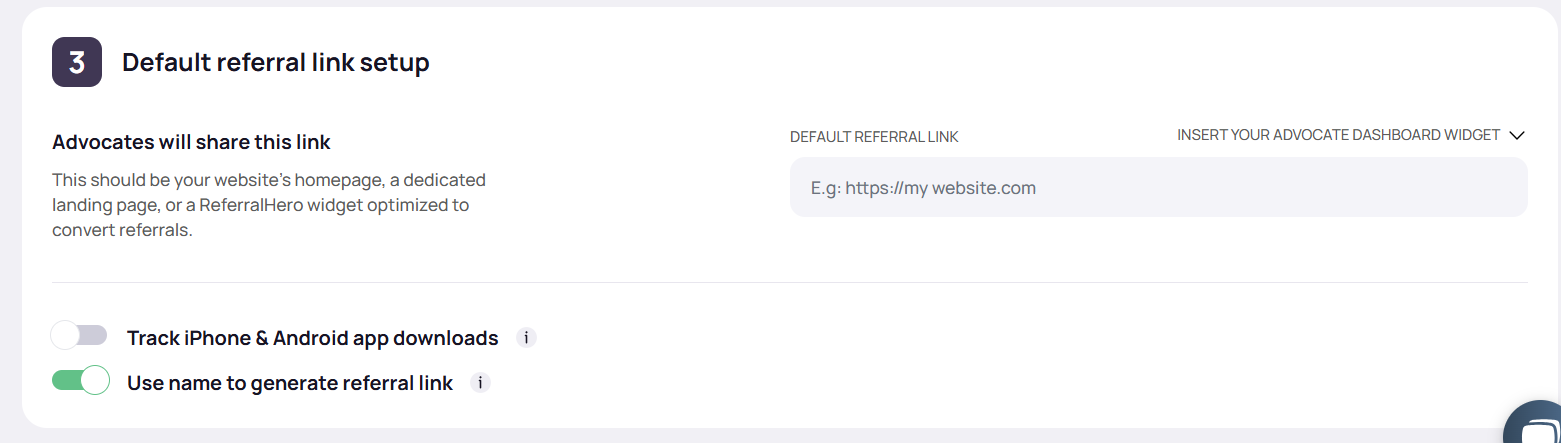
1. Go to your campaign dashboard *> Edit Campaign > Goals*
2. Switch on **Use name to generate referral link** (first click)
3. Save the changes (second click)
After you enable this feature, referral codes will be generated using the subscriber's first name and a random 4 digits string (to assure uniqueness). For example:
* Subscriber's name: "James", Subscriber's referral code: "james7d52"
* Subscriber's name: "Tim Fletcher", Subscriber's referral code: "tim1a54"
ReferralHero **will NOT** use the subscriber's name and revert to the standard random string if:
1. a name is not present (obviously)
2. the name is less than four characters long (e.g: Tim or Sam)
For example, a subscriber whose name is Bo Charleston will get a standard referral link of random characters.