> For the complete documentation index, see [llms.txt](https://support.referralhero.com/llms.txt). Markdown versions of documentation pages are available by appending `.md` to page URLs; this page is available as [Markdown](https://support.referralhero.com/campaign-builder/rewards/group-rewards.md).
# Group Rewards
Group Rewards allow multiple unlocked rewards to be combined and released together. This keeps delivery consistent, reduces payout frequency, and ensures integrations work correctly.
This feature is especially useful for monetary rewards and campaigns with multiple reward tiers.
### How It Works
When setting up a reward, you can enable **Group Rewards**:
* **Reward Value** → Toggle **Activate reward value** ON and assign a value
* **Reward Delivery** → In **Group reward payouts and hold until**, choose one of:
* Amount is reached then release
* Manually reviewed and released
* The 1st of every month then release
* The 1st and 15th of every month then release
#### Group Reward Rules
Once Group Rewards are enabled, the following rules apply consistently across all grouped rewards:
| **Setting** | **Behavior** |
| -------------------------------- | ------------------------------------------------------------------------------------------------------------------------ |
| **Issue Tremendous reward** | Issued once per Group Reward |
| **Activate coupon code** | Issued once per Group Reward |
| **Apply Stripe credit** | Credit values from each reward are summed, and the total is applied once to the subscriber’s Stripe account |
| **Stripe coupons** | Only one coupon is issued to the subscriber’s Stripe account, regardless of how many rewards are grouped |
| **Group Reward delivery method** | Rewards exceeding $2,000 are automatically split into smaller groups |
| **Notify subscriber** | One email or SMS is sent per Group Reward. The `%group_payout_reward_value%` merge tag displays the total combined value |
#### Stripe Coupons Setup
All of the settings listed in the **Group Reward Rules** table are configured within the reward setup, except for Stripe coupons.
To configure Stripe coupons for Group Rewards:
1. Go to Integrations > Stripe
2. In the Stripe reward coupons section, click Add reward coupon
3. In the When reward is sent dropdown, select Group Reward
4. In the Apply Stripe coupon dropdown, select the Stripe coupon to be applied
5. Click Apply Coupon to save your changes
### Tracking Rewards
Each unlocked reward is still logged individually in **Reward Logs**
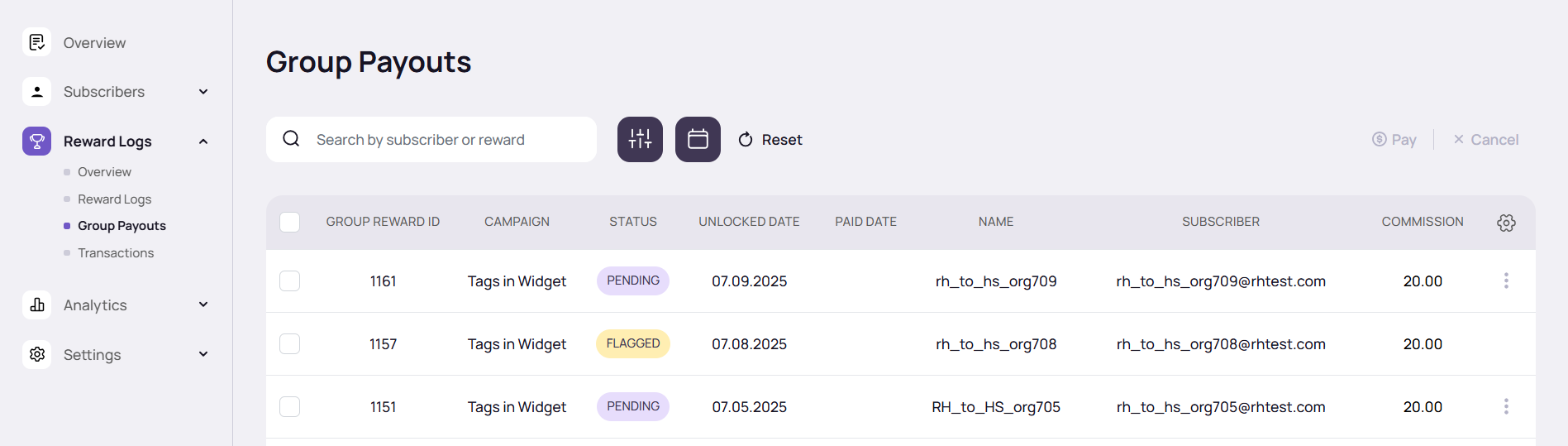
ReferralHero combines these into a **single Group Reward**, visible in the [**Group Payouts**](https://support.referralhero.com/campaign-management/rewards/group-payouts) section
### Examples
#### **Example 1: Threshold-Based Group Payout**
**Reward 1:** $25 fixed amount; Group Reward ON > *held until $75 threshold is reached*
**Scenario:**
* Each $25 reward is logged individually in Reward Logs
* Once 3 rewards accumulate ($25 × 3 = $75), the Group Reward is released
* A Group Reward entry is created in Group Payouts
**Result:**\
➡️ A single **Group Reward of $75** is created and delivered
#### **Example 2: Multiple Reward Types Combined**
**Reward 1:** Unlocks at every 1 pending referral → $10; Group Reward ON > *Manually Reviewed and Released*\
**Reward 2:** Unlocks at every 1 confirmed referral → $20; Group Reward ON > *Manually Reviewed and Released*
**Scenario:**
* An advocate refers 10 people
* 6 confirmed, 4 pending
**Reward Calculation:**
* Pending referrals: 10 × $10 = $100
* Confirmed referrals: 6 × $20 = $120
* Combined total = $220
**Delivery:**
* Admin reviews and approves payout
**Result:**\
➡️ A single **Group Reward of $220** is created and delivered
#### Example 3: Stripe Coupons vs Stripe Credits
**Reward 1:** Unlocks at 2 referrals → $10 Stripe credit; Group Reward ON\
**Reward 2:** Unlocks at 4 referrals → 1 Stripe coupon; Group Reward ON
**Scenario:**
* Advocate reaches 4 referrals
**Reward Calculation:**
* At 2 referrals → $10 Stripe credit added
* At 4 referrals → 1 Stripe coupon added
* Combined into single Group Reward
**Result:**\
➡️ The **Group Reward** contains **one Stripe coupon** and **a $10 Stripe credit**, delivered together in the subscriber’s Stripe account