> For the complete documentation index, see [llms.txt](https://support.referralhero.com/llms.txt). Markdown versions of documentation pages are available by appending `.md` to page URLs; this page is available as [Markdown](https://support.referralhero.com/campaign-management/subscribers/active-visitor-profile.md).
# Active Visitor Profile
ReferralHero offers a unique data tracking feature that allows for anonymous visitor tracking.
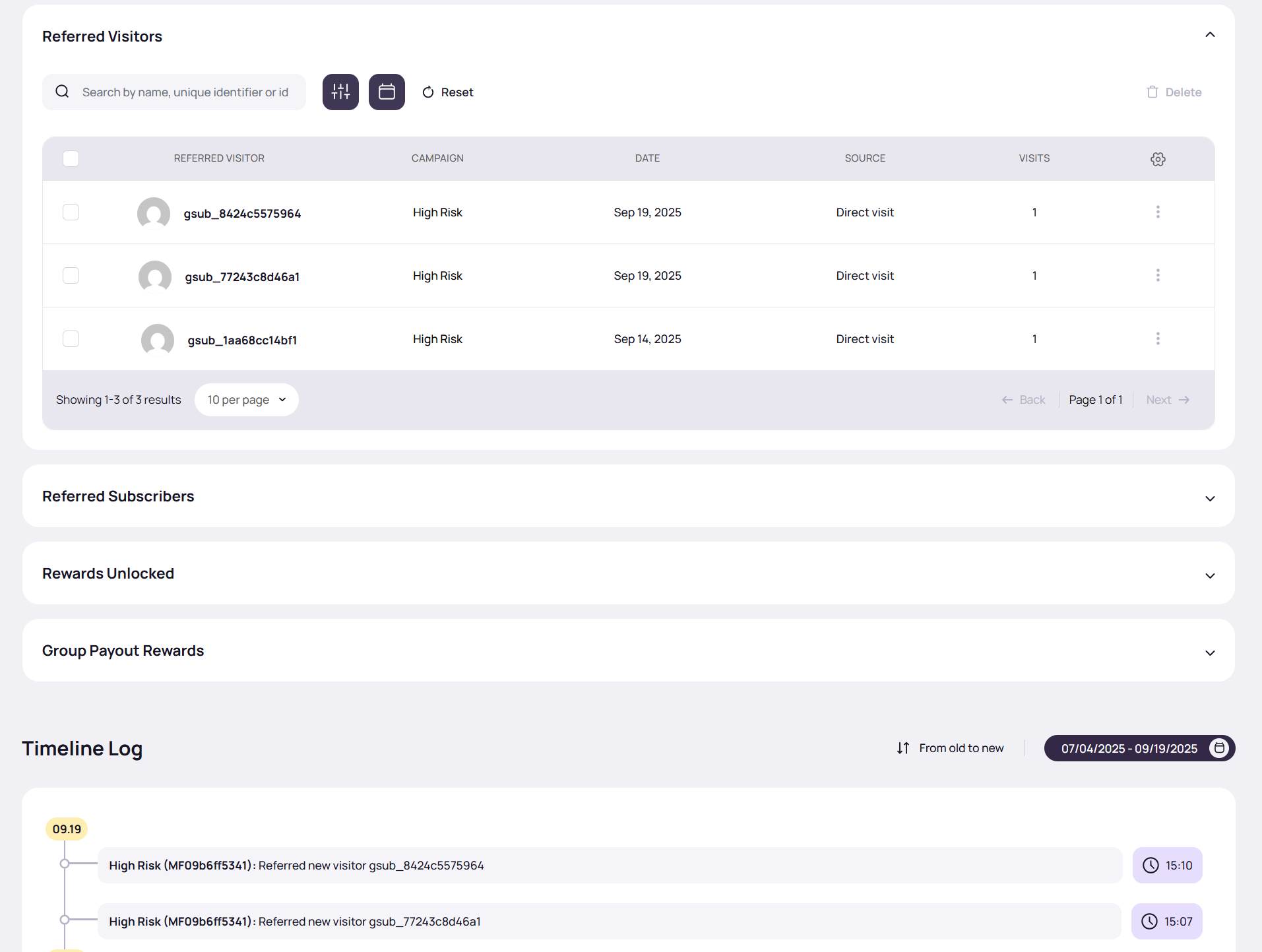
### Referred Visitors
Under the **Subscribers** section, select **Active Visitors** from the Group filter to view the list of active referred visitors.
### Non-Referred Visitors
Non-referred visitors can be viewed in a separate tab, **Non-Referred Visitors.**
✅ Learn more in the [Website Referral Analysis](https://support.referralhero.com/campaign-builder/templates/website-referral-analysis#active-visitor-profiles) section.
### Visitor Profile
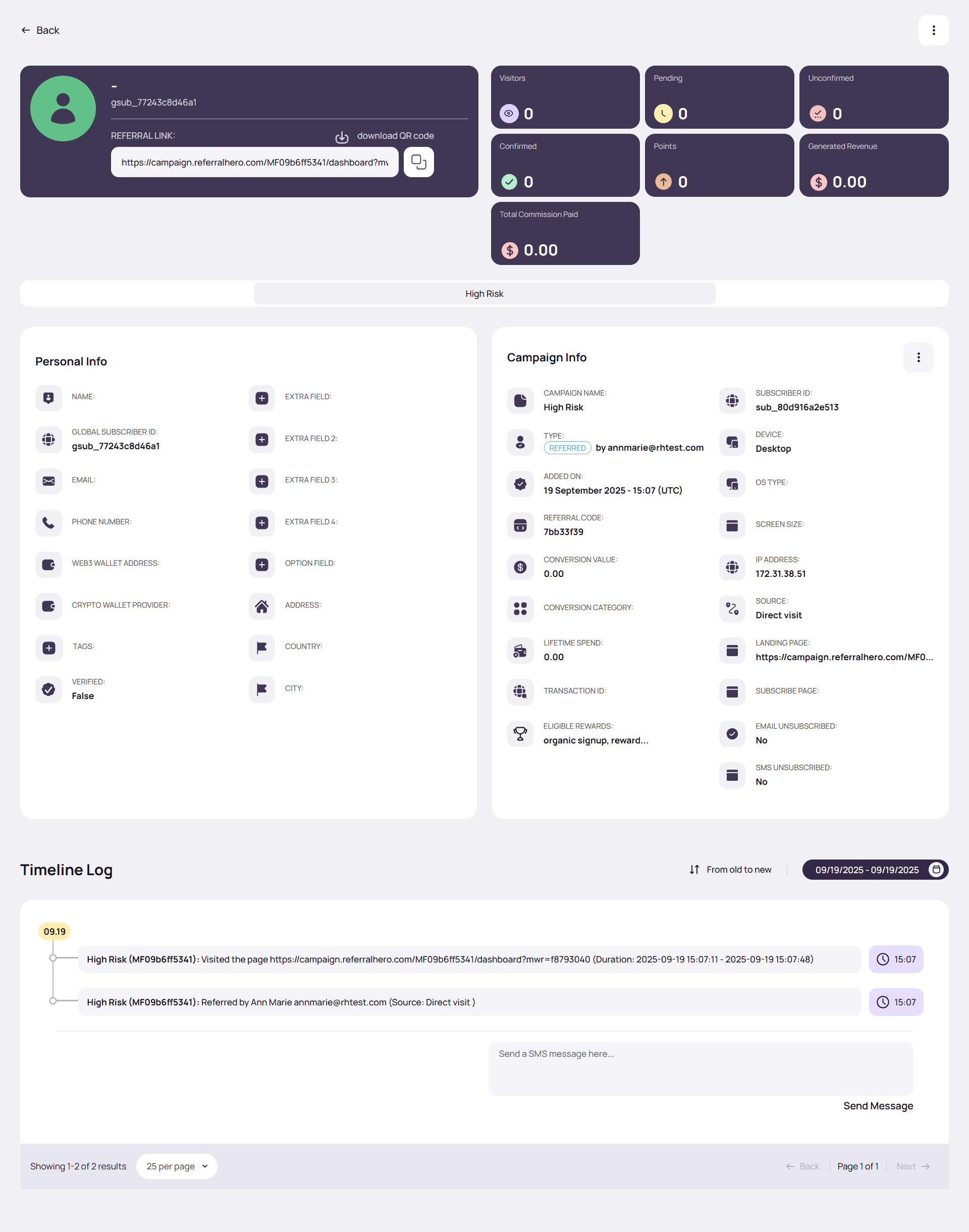
An anonymous visitor profile is created for anyone who visits your website either directly or via a referral link, or who is cookied but not yet a subscriber. Once they opt-in, their profile is updated to a Subscriber profile.
In addition to the existing data fields, two new fields have been added to the anonymous Visitor/Subscriber profile: landing page and subscribe page. The page URL the anonymous visitor visits before becoming a Subscriber is also available in the profile activity log.
{% hint style="success" %}
**NOTE:** Visitor profiles are not considered subscribers and therefore, they are not counted towards the subscriber limit.
{% endhint %}
### Referred Visitor Activity Feed
The activity feed for Subscribers now includes new traffic referral link clicks and a link to the anonymous referred visitor profile. This allows admins to see the progress of their referrals and track which referred visitors are generating the most traffic.