> For the complete documentation index, see [llms.txt](https://support.referralhero.com/llms.txt). Markdown versions of documentation pages are available by appending `.md` to page URLs; this page is available as [Markdown](https://support.referralhero.com/campaign-management/subscribers/subscriber-profile/retroactively-attribute-referrals-and-unlock-rewards.md).
# Retroactively Attribute Referrals & Unlock Rewards
You can now **retroactively attribute a referral** to an advocate by editing a subscriber’s profile — and **unlock eligible rewards automatically**, even if the qualifying activity (e.g., a purchase) occurred before the referral relationship was created.
This feature eliminates the need for manual back-end adjustments when advocates claim referrals after the subscriber has already completed the relevant activity.
### When to Use This Feature
Use this feature when:
* A subscriber originally joined or purchased **organically**
* An advocate later claims they referred that subscriber
* The transaction already exists in the system
* You want eligible advocate rewards to be unlocked correctly
### How It Works
The system evaluates historical transactions and referral conditions when a referral relationship is created retroactively.
If any activated rewards meet the conditions of the new relationship, you’ll be prompted to unlock or cancel those rewards.
#### Step 1: Retroactively Attribute a Referral
1. Go to the subscriber’s profile that should be converted into a referral
2. In the *Campaign Info* section, click the three-dot menu and select *Edit Info*
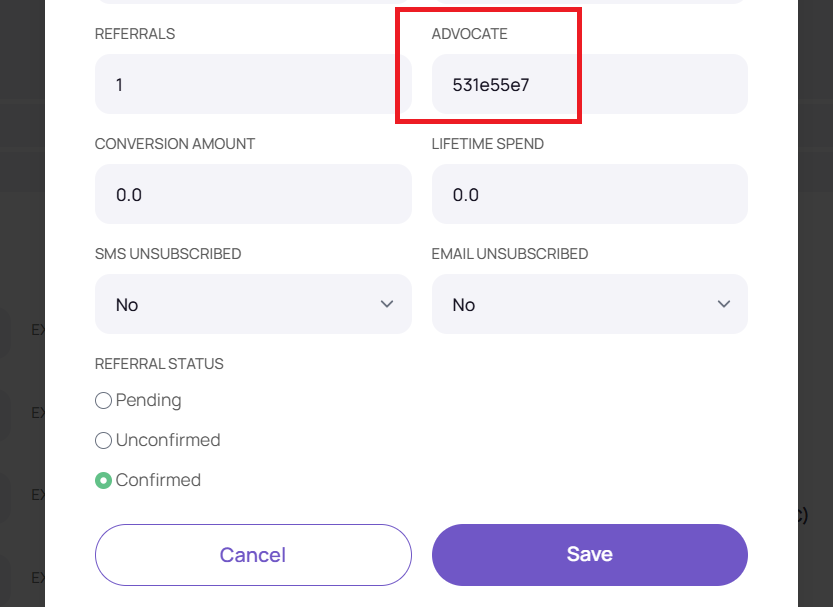
3. Enter the advocate’s referral code in the *Advocate* field
4. Select the appropriate referral status
5. Click Save
#### Step 2: Reward Evaluation & Unlock Popup
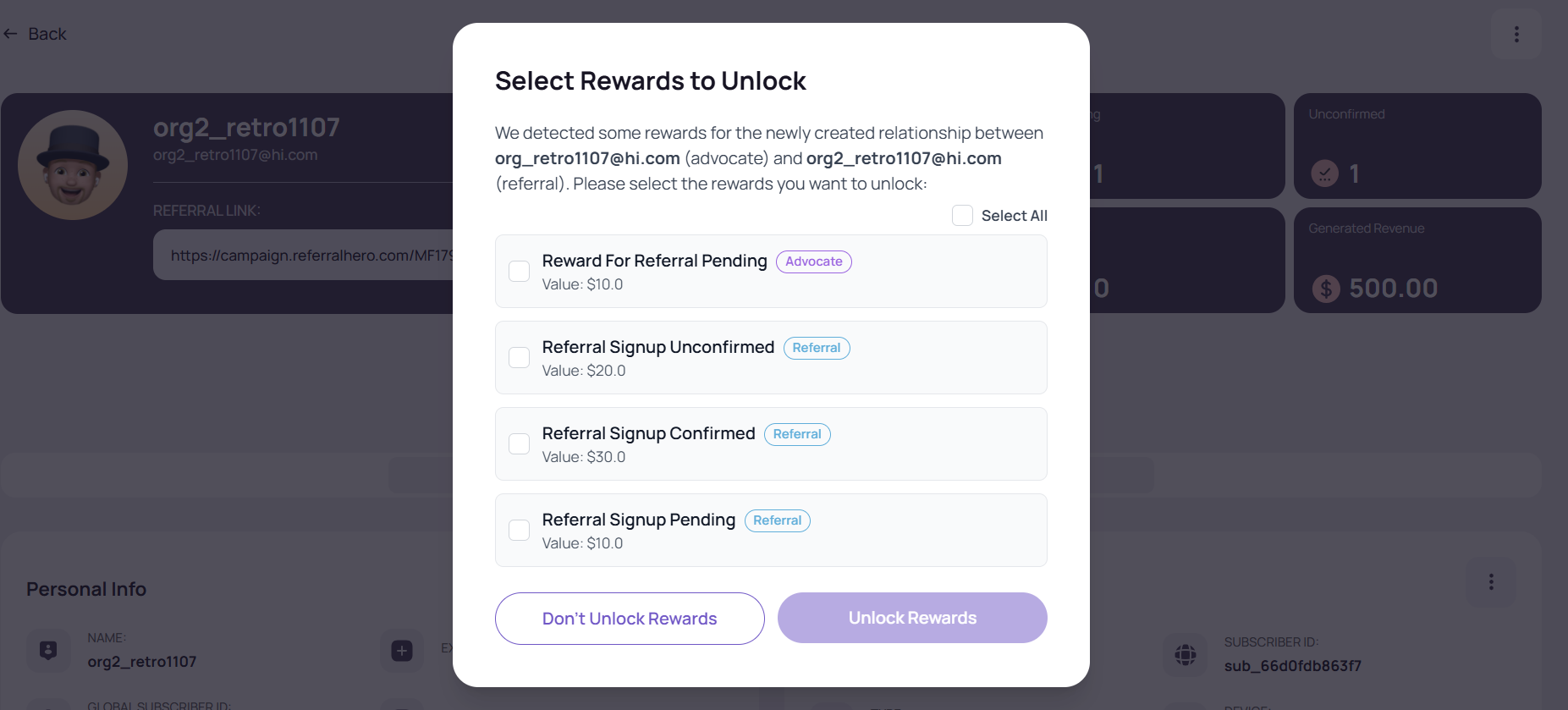
1. After saving the updated subscriber details, the system automatically checks whether any activated rewards meet the conditions of the new referral relationship, including historical transactions.
2. If eligible rewards are found, a popup appears showing the list of rewards, with options to:
1. **Unlock reward** → Makes the reward available to the subscriber
2. **Cancel reward** → Discards the reward
{% hint style="success" %}
**NOTE:** Canceled rewards will not appear in the subscriber’s profile or the advocate’s dashboard
{% endhint %}